

• my photo

    Click photo for About Me

  • Enter your email address to subscribe to this blog and receive notifications of new posts by email.

    Join 1,198 other subscribers
  • Pinterest

    Follow Me on Pinterest
  • Amazing Deals

    Click image for Amazing Deals!

  • Share this blog

    Bookmark and Share
  • Archives

  • Categories

  • Recent Posts

  • Blog Stats

    • 417,758 hits
  • Meta

  • Disclaimer

    All content found at Stampin' by Genny is the sole responsibility of Genevieve Valdes, a Stampin’ Up! Independent Demonstrator. Stampin’ Up! does not endorse, edit, or otherwise contribute to this website.

Cute Corner Bookmark

This week at Hand Stamped Sentiments – A School Theme Challenge.  For this challenge I wanted to make a useful and cute gift so I created this corner bookmark.  There’s a great tutorial for making them on SCS.  Click here to view tutorial.  These are so easy to make.  This one I’m giving to my niece.  Stop by Hand Stamped Sentiments and take the challenge.  I’d love to see your creation.

HHS School Theme Challenge

Corner bookmark

Corner Bookmark ~ click image to enlarge

All Stampin’ Up! supplies below may be ordered from my website or email me to place your order.
All products are Stampin’ Up! unless noted.

Project info:

Hybrid Corner Bookmark

Finished size: 4.00″ H x 3.75″ W

Stamp Sets: Tart & Tangy, sentiment created on My Digital Studio

Paper: Cardstock:  Cherry Cobbler, Crumb Cake, Very Vanilla; Digital DSP Striped Daffodil Delight

Ink: Cherry Cobbler and inkjet printer

Accessories: Medium Oval Punch, 1″ Circle Punch, Scallop Circle Punch, Eyelet Border Punch, Big Shot, Perfect Polka Dots embossing folder, My Digital Studio, Very Vanilla grosgrain ribbon dyed with Cherry Cobbler Classic ink

Techniques: Paper crafting

Hand Stamped Sentiments Luau Theme Challenge #24

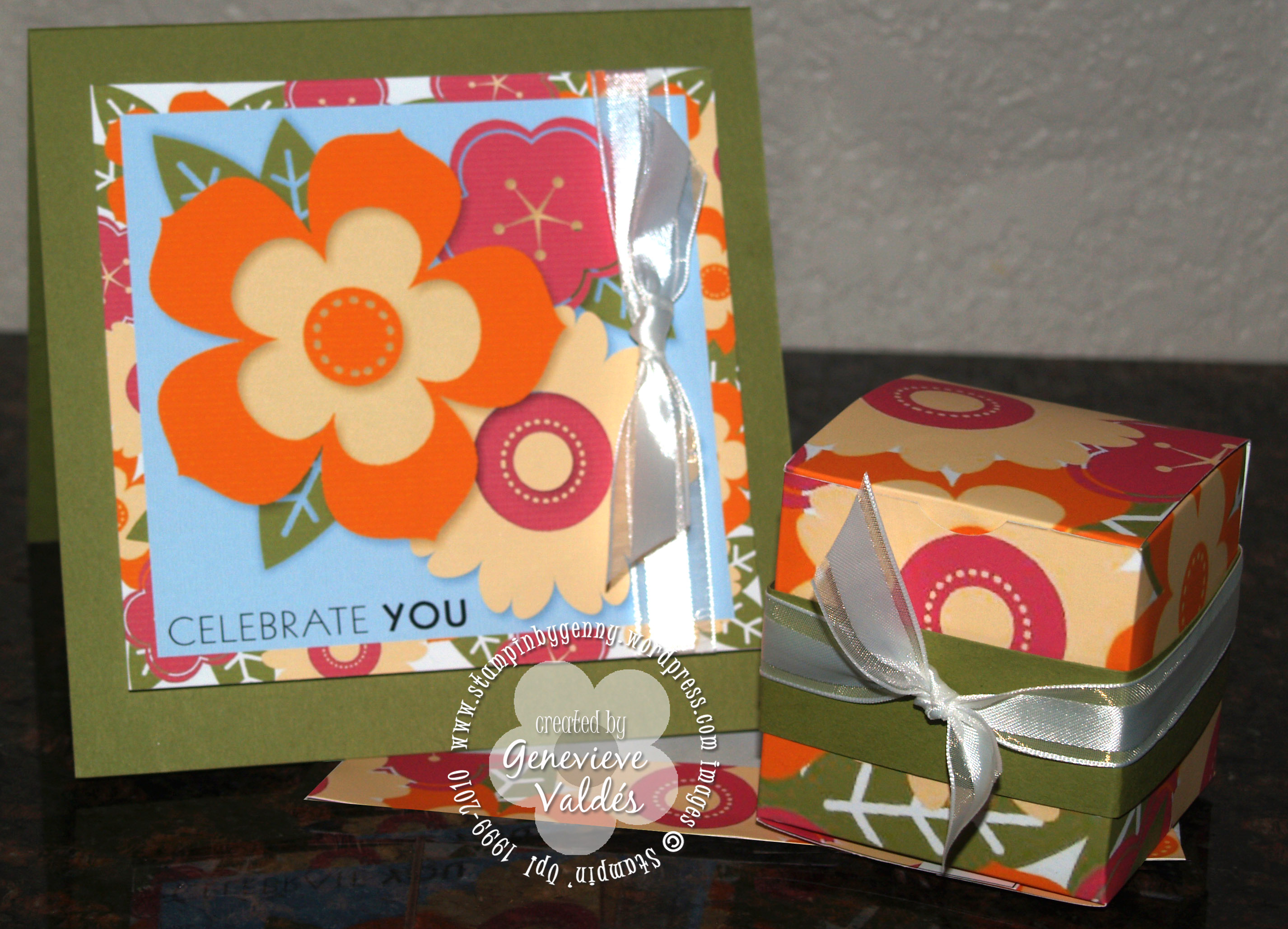
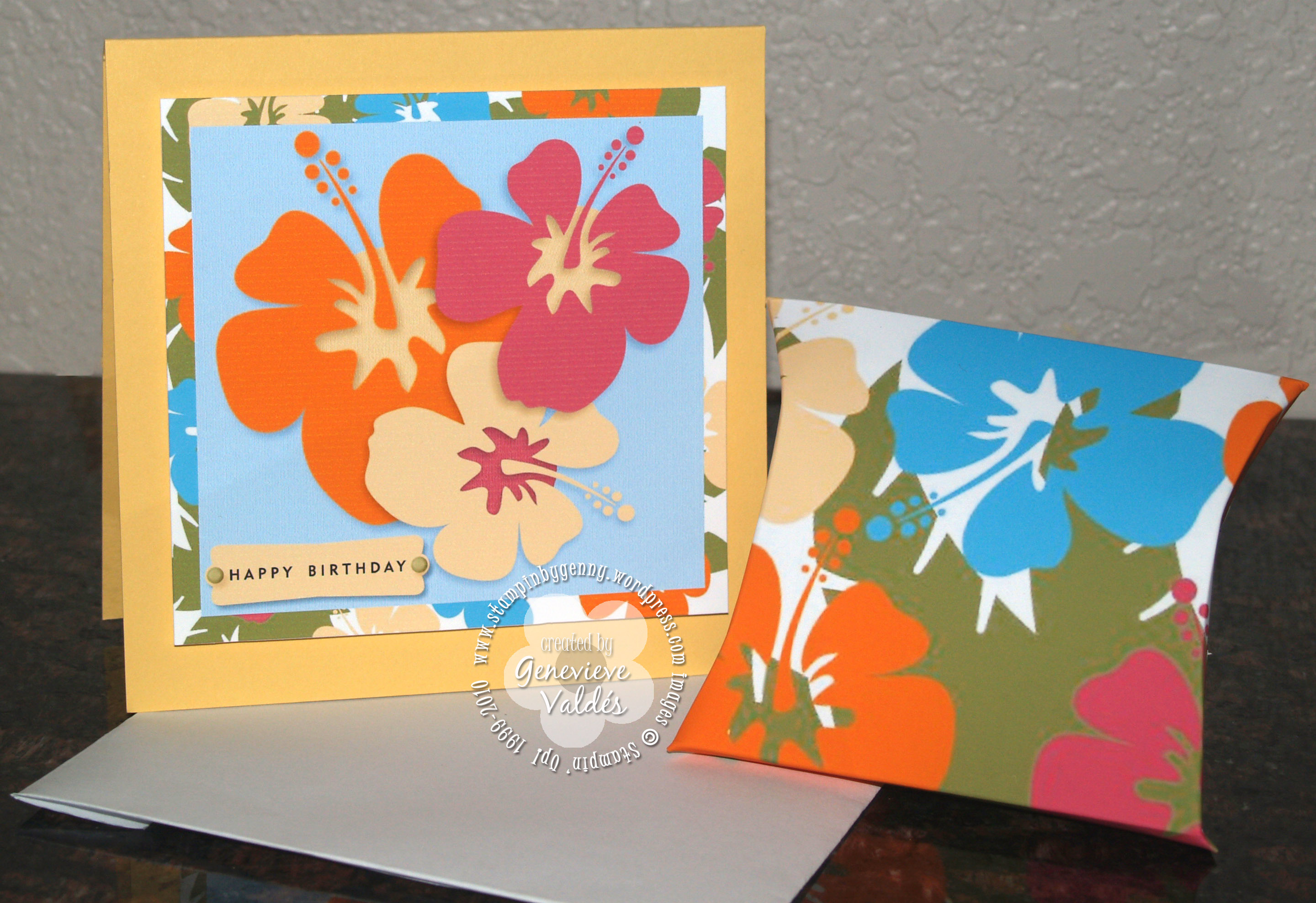
This week at Hand Stamped Sentiments we have a Luau Theme Challenge.  I had fun creating these projects with My Digital Studio software.  I created a card and favor box using the digital stamps Petal Pizzazz included with initial purchase of MDS.  I used this stamp set because the flowers were big and bold.  Just perfect for this theme.  I printed a layer with the images and sentiment then adhered it to Old Olive card stock and added ribbon.  So easy!  The next project I also created with My Digital Studio but this time I had some hibiscus clipart I wanted to use.  I was able to import the images into My Digital Studio but first I had convert the .jpg images to  .png files then put them into the embellishments folder in MDS so I could access them.  In MDS I created a background with both the Petal Pizzazz and hibiscus images to add behind the flower images and to also make the favor boxes.  The templates for these boxes can be purchased for $1.95.

Petal Pizzazz card and favor box

click image to enlarge

Hibiscus card and favor box

click image to enlarge

Mini Project Boxes - Digital Download - $1.95

All Stampin’ Up! supplies below may be ordered from my website or email me to place your order.
All products are Stampin’ Up! unless noted.

Project info:

Petal Pizzazz card and favor box

This card was created digitally with My Digital Studio.

Finished card size: 5.25″ x 5.25″

Digital Stamp Sets: Petal Pizzazz, A Little Birthday Cheer

Digital Paper: Textured Bashful Blue, Pumpkin Pie, Old Olive, Rose Red, So Saffron

Paper: Card stock:  Whisper White, Old Olive

Ink: inkjet printer

Accessories: Whisper White Organza ribbon, Stampin’ dimensionals

Techniques: Digital papercrafting

Hibiscus card and favor box

This card was created digitally with My Digital Studio.  The hibiscus images were imported into MDS.

Click here for hibiscus image. (Hibiscus image by KeepDesigning.com  To download image right click then save image to your computer.

Finished card size: 5.25″ x 5.25″

Digital Stamp Sets: A Little Birthday Cheer, non-SU hibiscus clipart

Digital Paper: Textured Bashful Blue, Pumpkin Pie, Old Olive, Rose Red, So Saffron

Paper: Card stock:  Whisper White, So Saffron

Ink: inkjet printer

Accessories: Stampin’ dimensionals

Techniques: Digital papercrafting

Summertime Splendor cards

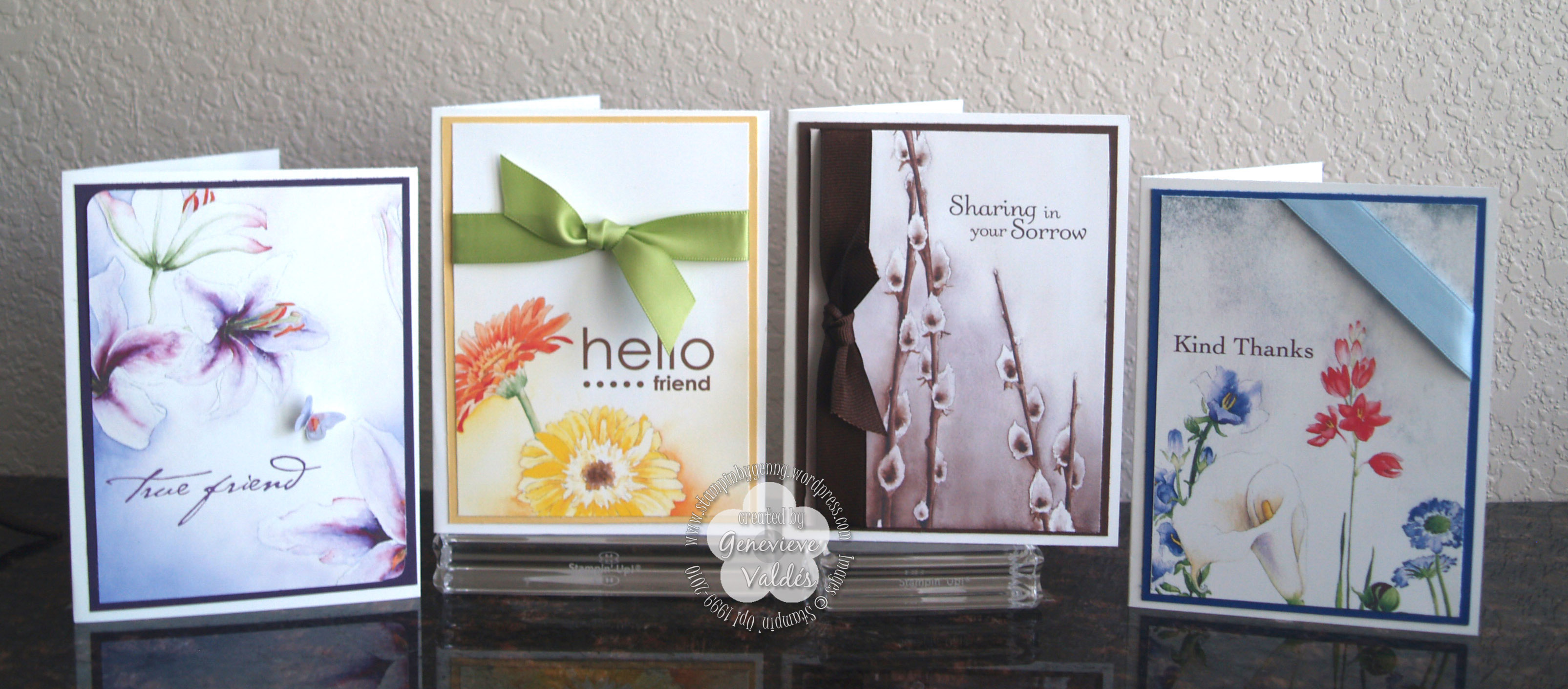
Continuing with yesterday’s theme I also created these cards using the digital download Summertime Splendor.  These  beautiful backgrounds are perfect for any of your summer projects.  In my previous post I created beautiful party favor or gift boxes.  Today with the help of My Digital Studio and the Summertime Splendor digital backgrounds these are the cards I created.  Patty Bennett has a wonderful tutorial showing how to make card fronts in My Digital studio.  I made these four cards in about 45 minutes.  So easy!

Summertime Splendor Cards

click image to enlarge

Here’s a photo of the cards with the boxes from yesterday’s post.

Summertime group

click image to enlarge

All Stampin’ Up! supplies below may be ordered from my website or email me to place your order.
All products are Stampin’ Up! unless noted.

Project Info:

Summertime Splendor cards

Digital Stamp Sets: Simple Friendship, Sunny Day, Thank You Kindly, Thoughts and Prayers

Digital Background Paper: Summertime Splendor

Paper: Whisper White, Elegant Eggplant, So Saffron, Chocolate Chip, Brilliant Blue CS

Ink: inkjet printer

Accessories: Big Shot, Beautiful Wings Embosslits die, Bashful Blue Satin ribbon, Chocolate Chip grosgrain ribbon, Certainly Celery Satin ribbon, mini glue dots

Techniques: digital crafting

Hand Stamped Sentiments – Anything but a card – Garden Party

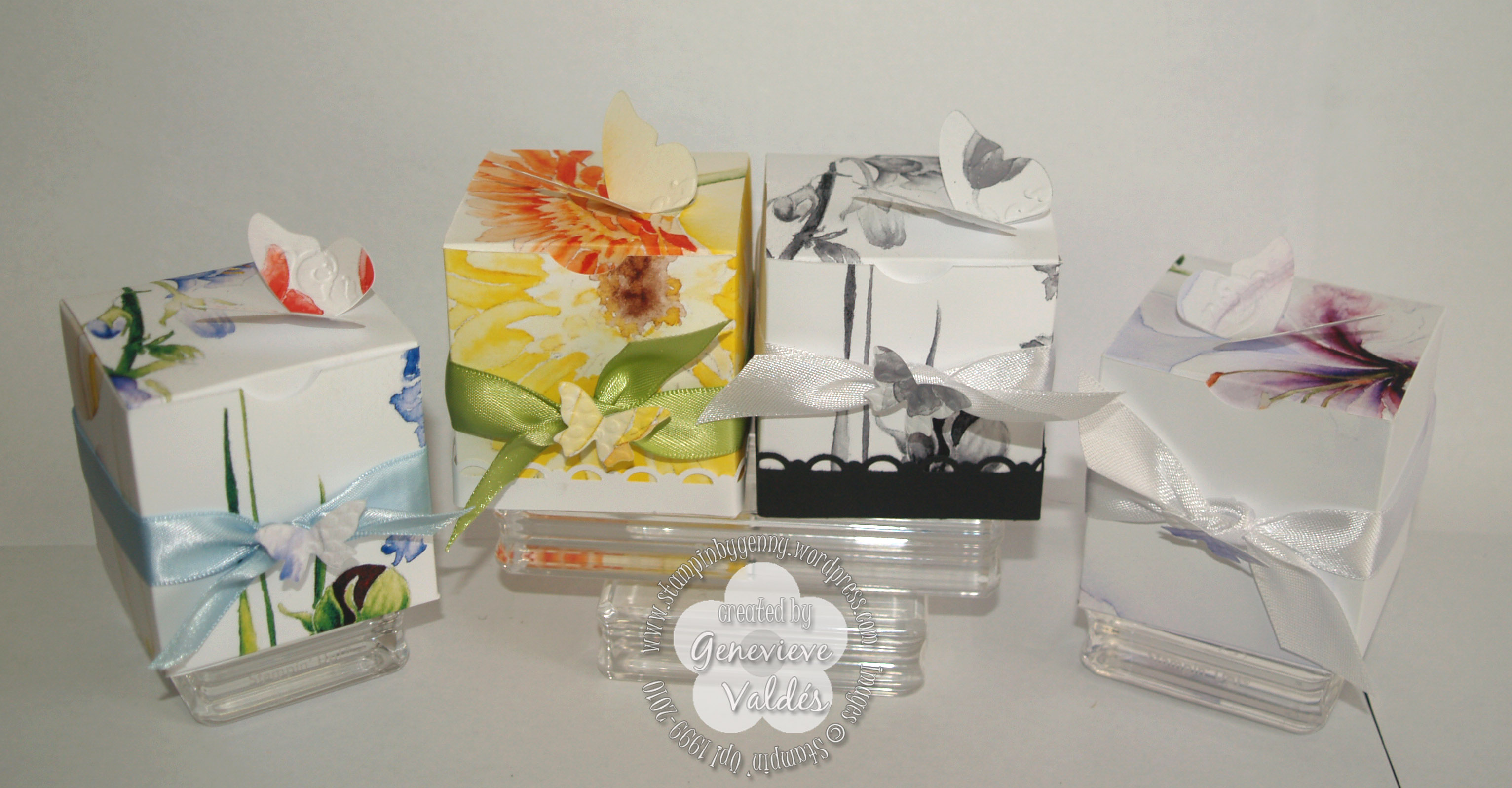
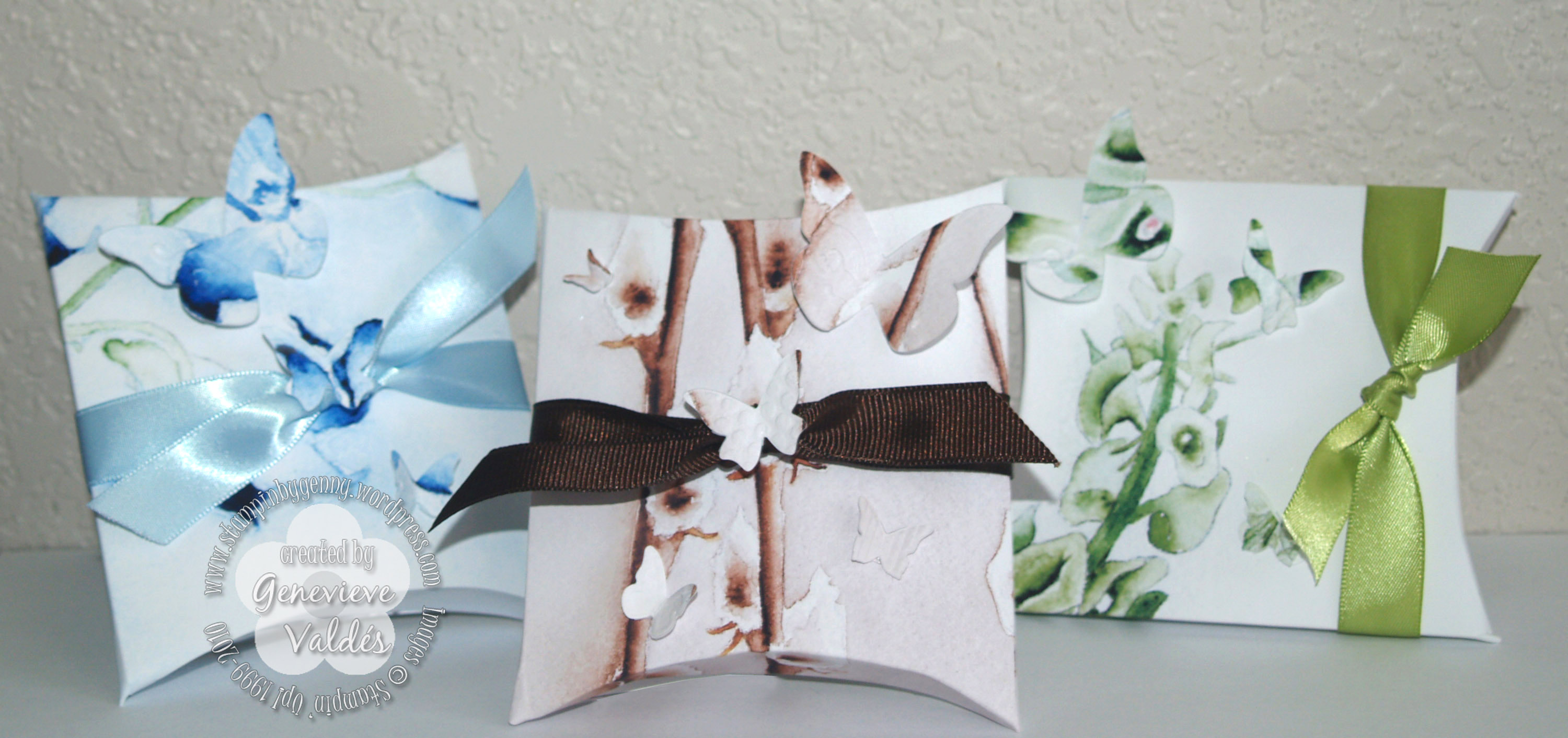
Another sunny week and I’ve been a bit under the weather.  To cheer me up I thought I would play with My Digital Studio and the Summertime Splendor designer series printed backgrounds.  Since this week’s challenge for Hand Stamped Sentiments is – Anything but a Card – I thought this would also be a perfect time to make some favor/gift boxes using the Summertime Splendor digital backgrounds with My Digital Studio.    I also used my Beautiful Wings Embosslits die for the butterflies and some ribbon.  If you want extra embellishments you can also add a border like I did on the yellow and black & white boxes.  The box templates are also from My Digital Studio and can be purchased for a $1.95.  Plus you also get two printed patterns.   These boxes are perfect for any summer party, shower, birthday or wedding.  Remember you can purchase the templates and use them without owning the My Digital Studio Software.  You can use any of the templates and images in any program where you can import images.  I really tried in the photos to show the vivid colors of summer but these are the best of all the photos I took.  Tomorrow I will post the cards I made using the Summertime Splendor DSP digital backgrounds.

Summer splendor boxes

click to enlarge

Summer Splendor pillow boxes

click to enlarge

Mini Project Boxes - Digital Download - $1.95

Mini Project Boxes - Digital Download - $1.95

Summertime Splendor digital paper

Summertime Splendor Designer Series Paper-Digital Download -$4.95

All Stampin’ Up! supplies below may be ordered from my website or email me to place your order.
All products are Stampin’ Up! unless noted.

Project Info:

Summertime Splendor party favor/gift boxes

Digital Stamp Sets: none

Digital Background Paper: Summer Splendor

Ink: inkjet printer

Accessories: Big Shot, Beautiful Wings Embosslits die, Bashful Blue Satin ribbon, Whisper White Satin ribbon, Chocolate Chip grosgrain ribbon, Certainly Celery Satin ribbon, Scallop trim border punch, Paper snips, Craft knife, mini glue dots

Techniques: digital crafting

Hand Stamped Sentiments – Father’s Day Theme Challenge

With Father’s day around the corner, the challenge for this week at Hand Stamped Sentiments is Father’s Day.  Hop on over and take the challenge.  I would love to see your creation.  For my card below I used My Digital Studio to create the backgrounds, printed them on Whisper White CS and cut them out to create a collage.  I also used My Digital Studio to print out the sentiment from the ‘All Holidays’ digital stamp set .  I used Kraft CS for the card base and I also ran a piece of Kraft through the Big Shot with my Perfect Polka Dots Textured Impressions Folder.  I used this piece behind my sentiment.

I used one of the silver frames from HodgePodge Hardware set.  I cut the frame in half with my Craft & Rubber scissors and adhered it to the back of my sentiment with dimensionals.  I adhered the sentiment to the embossed Kraft with dimensionals then adhered with SNAIL to the blue striped layer.  I put hemp twine through the holes in the silver frame.  I used SNAIL to adhere larger brown pieces and dimensionals for the blue squares then adhered the blue striped and sentiment layer group with dimensionals.  So easy!  I really like the way it turned out.

Father's Day collage card

Click image to enlarge

All Stampin’ Up! supplies below may be ordered from my website or email me to place your order.
All products are Stampin’ Up! unless noted.

Project Info:

Father’s Day collage card

Finished size:  5-1/4′ x 5-1/4″

Hybrid My Digital Studio Project

Layer dimensions:

More Mustard Grid layer – 2-7/8″w x 3-5/8″h

Night of Navy Stripe layer – 2-7/8″w x 3-5/8″h

Chocolate Chip Small Polka dot layer-  – 2-7/8″w x 3-5/8″h

Night of Navy Dotted Stripe layer- 2-1/8″wx 2-1/8″h

Night of Navy Textile layer – 2-1/8″wx 2-1/8″h

Kraft Perfect Polka Dots textured layer – 2-3/4″w x 2-1/2″ h

Sentiment layer – 2-1/4″w  x 2-1/2″h

Digital Stamp Sets: All Holidays, included with initial purchase of My Digital Studio

Paper: Printed DSP backgrounds from My Digital Studio on to Whisper White CS.  Kraft CS was used for the card base and embossed layer.

Ink: Inkjet Printer

Accessories: Big Shot, Perfect Polka Dots Textured Impressions FolderHemp Twine, silver frame from HodgePodge Hardware kit cut in half, dimensionals, SNAIL

Techniques: Digital and paper crafting

Hand Stamped Sentiments – Color Splash Challenge

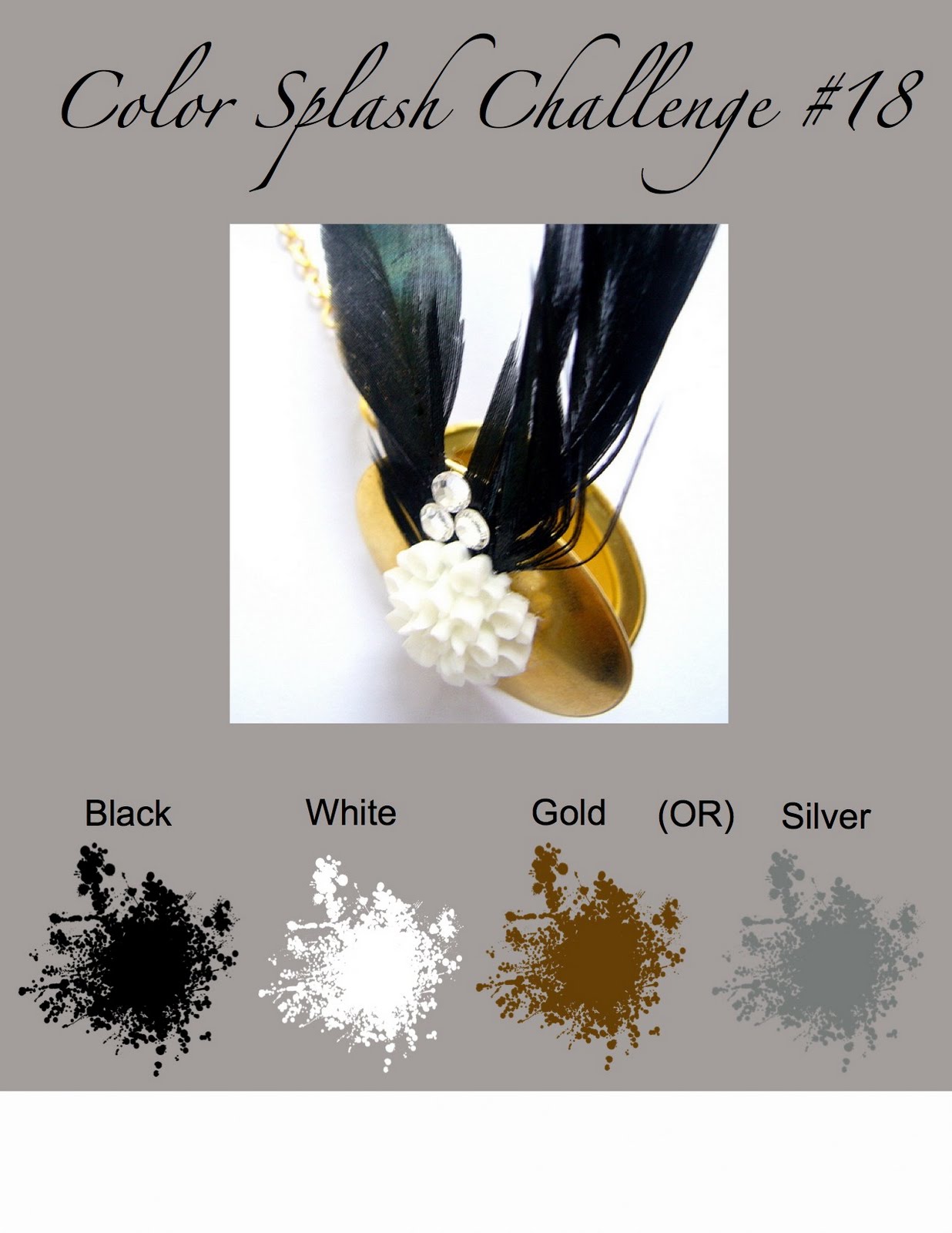
This week at Hand Stamped Sentiments a sophisticated color splash challenge – black, white, gold or silver.  With weddings and graduations around the corner these colors are perfect.  Hop on over and take the challenge.  I would love to see your creation.

My nephew is graduating this month and I decided to make a card and a gift box.  I created the card and box on My Digital Studio.  The box is perfect for the perfect gift – a check.  I used the Go Graduate Plus stamp brush digital set.  It’s perfect for all your graduation projects.  I also used the box templates you can purchase for My Digital Studio at $1.95!   You get two different box templates and two background Designer Series Papers.  I printed the black and white houndstooth check from the digital Night and Day Designer Series Papers.  You get ten beautiful black and white background papers for $4.95.  See below for more information.  I love creating hybrid projects with My Digital Studio.

Stampin Up Graduation card & box

click to enlarge

click image to enlarge

Mini Project Box templates and DSP $1.95 – item #120171

Night And Day Designer Series Paper – Digital Download – $4.95 – item #118115

All Stampin’ Up! supplies below may be ordered from my website or email me to place your order.
All products are Stampin’ Up! unless noted.

Project info:

Hybrid Graduation card and box

Finished card size: 5.25″ x 5.25″

Finished box size: 2-3/8″ x 2-3/8″ x 203/8″ square box

Box Template: Mini Project Box templates and DSP

Digital Stamp Sets: Go Graduate Plus stamp brush digital set, Miscellaneous sentiments printed from MDS

Paper: Printed DSP backgrounds from My Digital Studio on to Whisper White CS.  Whisper White CS was used for the card base.  Also used Basic Black CS, Brushed Silver CS and Vellum for the stars

Ink: Inkjet Printer

Accessories: Big Shot, Stars die,  Whisper White Satin ribbon, Black Satin ribbon, Star brad from the silver HodgePodge collection, dimensionals, digital Curly Label punch, digital Photo Corners punch – both these digital punches are included with initial purchase of My Digital Studio, non-SU black grommet,

Techniques: Digital and paper crafting

Save

Hand Stamped Sentiments – Anything but a Card Challenge 17

This week’s challenge at Hand Stamped Sentiments is Anything but a Card.   I am extending an invitation for you to come join us at HSS and post your creation.  Thanks for visiting!

I have been wanting to use the Daisy die so I created this cute gift box.  The template for this box is here.  I used my Big Shot to die cut the daisies and emboss the box.  I traced the leaves freehand and scored them in the middle.

Daisy box

Click image to enlarge

All Stampin’ Up! supplies below may be ordered from my website or email me to place your order.
All products are Stampin’ Up! unless noted.

Project info:

Box template – click here

Finished size: 3.5″ (at the widest part) x 8.5″ H

Stamp Sets: A Flower For All Seasons, Vintage Labels (retired Sale-a-bration)

Paper: Card stock:  So Saffron, Old Olive, Chocolate Chip, DSP small polka  dot printed from My Digital Studio

Ink: Chocolate Chip classic ink pad, Water Color pencils

Accessories: Big Shot, Stars Daisy #2, Perfect Details Texturz plate, Chocolate Chip grosgrain ribbon, hemp twine, sticky tape, Tag corner punch, 1/16″ circle punch, Corner rounder punch

Techniques: Digital and paper crafting

Memorial day card

PPA is having a Memorial Day theme challenge and I created a card for my father.  He was in the army reserves and was always very proud of his unit and his military service.  I restored this photo for him and therefore the photo will be a gift within this card I created for him.   I too am very proud of my father.  He’s been retired for quite some time now but he loves to reminisce about his days in the military.  This Memorial Day we remember all branches of the military and thank them for their sacrifice and service.

I used My Digital Studio and the Big Shot to create this card.

Memorial day card front

click to enlarge image

Memorial day card - inside

click to enlarge image

All Stampin’ Up! supplies below may be ordered from my website or email me to place your order.
All products are Stampin’ Up! unless noted.

Project info:

The Army logos are downloaded clip art.

Finished size: 4-3/8″ w x 6″ h

Stamp Sets: none

Paper: Card stock:  Kraft Brown, Real Red, Night of Navy, Whisper White, vellum

Ink: Sentiments created on My Digital Studio in Real Red

Accessories: Big Shot, Stars #2 die, star brads from silver Hodgepodge kit, Whisper White organza ribbon, mini glue dots, dimensionals

Techniques: Digital and paper crafting

New Digital Downloads

Just in time for all your graduation projects the latest group of digital downloads for My Digital Studio includes Go Graduate plus stamp brush set, Jumbo Outline and Contempo Alphabet stamp brush sets.  How cool is that!  Remember that you do not have to own the My Digital Studio software to use the images in your digital crafting.  You can use them with any software that imports or inserts images in your document.  To purchase these or any other downloads go to my website and instantly the downloads are available.  I love it – instant gratification!

Item Description Price
121069 Go Graduate Plus stamp brush set $5.95
122143 Jumbo Outline Alphabet stamp brush set $9.95
122145 Contempo Alphabet stamp brush set $9.95

Go Graduate Plus Stamp Brush Set

Jumbo Outline Alphabet Stamp Brush Set

Contempo Alphabet Stamp Brush Set

Hand Stamped Sentiments – Graduation Theme Challenge

Since this is graduation season we decided over at HSS to have a graduation theme challenge. Projects can be anything graduation-related; cards, invitations, party favors, money holder cards, gift boxes, etc. So for this challenge I used My Digital Studio software to create a card. I know you’ve heard me say – I love this software but I do! You can create cards, albums, scrapbook pages, favor boxes, invitations, etc.  I created a hybrid card which means I printed the main layer image on My Digital Studio and I embellished with an actual brad and ribbon instead of digitally.  So hope on over to HSS and take the challenge.  I can’t wait to see your project.  Here’s mine.

click image to enlarge

All Stampin’ Up! supplies below may be ordered from my website or email me to place your order.
All products are Stampin’ Up! unless noted.

Project info:

In My Digital Studio I created a background with the French word for congratulations ‘felicitations’ then layered the medallion over the background along with the sentiment ‘congratulations’. I left room for ribbon and used a silver brad from the silver hodgepodge kit.  Super easy and fast!

My Digital Studio hybrid Graduation card

Digital Stamp Sets: Medallion, Hugs & Wishes

Paper: Whisper White and Basic Black CS

Ink: Inkjet printer

Accessories: Silver embossing brad from the Silver Hodgepodge kit, ¼” Basic Black grosgrain ribbon

Techniques: Digital crafting